

See it on yourself,
before you buy.
TryEz lets your shoppers preview any garment on themselves in seconds. No fitting room. No guesswork. Fewer returns.
live preview
what you get
Built so shoppers don’t have to imagine.
our focus
Made for clothing,
not generic images.
Generic image tools blur prints, lose seams, or paint shirts that look like paintings of shirts. We focused only on clothing on real people in real photos. Every pattern, fold, and drape comes through.
One photo, that’s it.
Your shopper uploads a single photo. No body scan, no app to install, no calibration.
Fast enough to keep them.
About 12 seconds per render. Short enough that the shopper stays engaged instead of bouncing.
Yours stays yours.
Photos live only in memory while the render happens, and are discarded the moment it returns.
try it now
Pick a garment. See it on her.
This is the same widget your shoppers see, embedded in your store. Try the catalog below, or use your own photo.
- 1
Choose your model
Use our model or upload your own photo.
- 2
Pick a garment
Tap any item from the catalog (or upload your own).
- 3
See it on you
A new render appears in about 10 seconds.
New here? What does each button do?
- On her / On him (top of the catalog) — switches which of our two models is shown. Each one has their own collection of clothes; tapping the toggle swaps both the model on the left and the catalog items on the right.
- Use my photo (orange button under the catalog) — upload a picture of yourself. Your photo replaces the model on the left. You can still browse and try on every item in the catalog. The toggle now says Women’s / Men’s so you can switch which collection you’re looking at.
- Original (the first tile in the catalog, with the model’s photo on it) — tap to clear any garment and see the model or your photo as it was originally.
- Catalog tiles (the other thumbnails) — tap any item to render it on the model or on your photo. A small terracotta outline shows which one is currently selected.
- Your garment (appears as the second tile only after you’ve uploaded your photo) — tap it to upload a clothing photo of your own instead of choosing from the catalog. A flat-lay photo of a shirt works best.
- Change photo — replace the photo you already uploaded with a different one of yourself.
- Back to demo — clears your uploaded photo and brings back our default model. Useful if you want to start over.
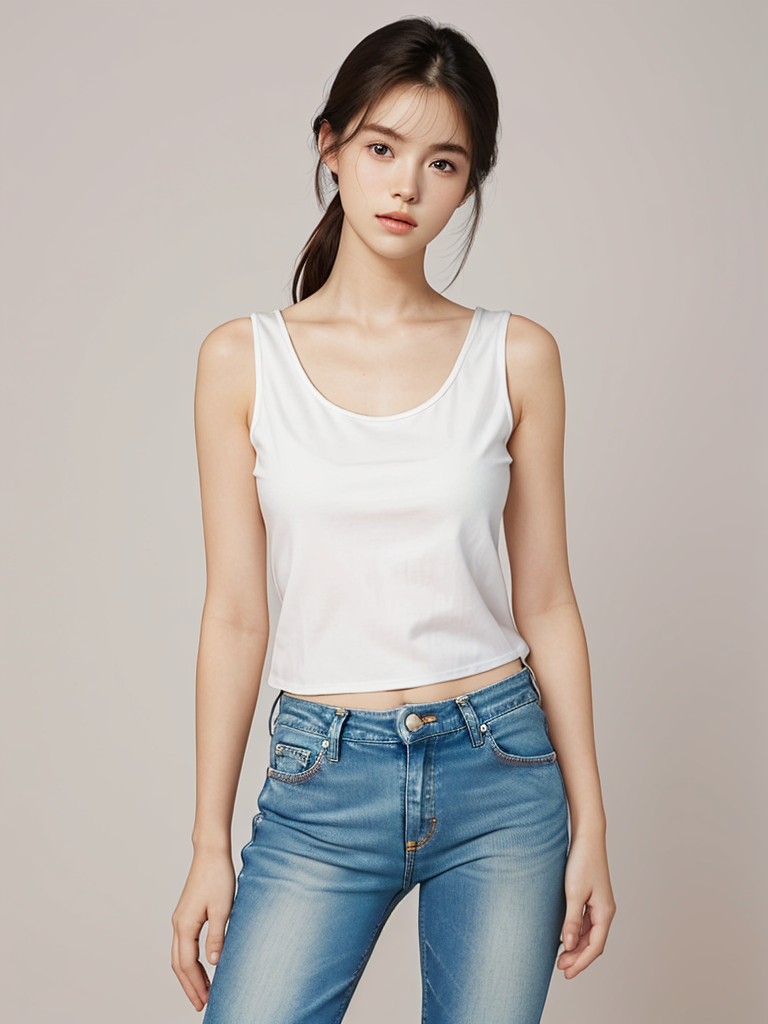
the catalog
Tap a piece to try it on.
These previews are AI-generated. The faces shown are stock photos used as catalog models, not real customers, and any resemblance to a specific person is unintended.
questions
A few things people ask.
We do not store them. Photos are processed in memory and discarded the second the render is returned. Nothing about your shopper, their photo, or the result is kept on our servers afterward.
start free
Run your first try-on in two minutes.
No credit card to start. Pick a plan when you outgrow the free tier.
Studio
- Higher monthly limits
- Embed on your storefront
- Priority rendering
- Slack support
Scale
- Unlimited try-ons
- Tuned for your catalog
- Dedicated rendering
- White-glove onboarding